Understanding How Casbin Matching Works in Detail

This post explains how to design and implement RBAC with the Casbin library. For SaaS platforms with resource hierarchies and roles that inherit permissions, Casbin is a performant option.
Introduction to RBAC
RBAC restricts access based on the roles users hold. To see how hierarchical RBAC works, we look at Azure’s RBAC and then implement something similar in Casbin.
Azure’s hierarchical RBAC
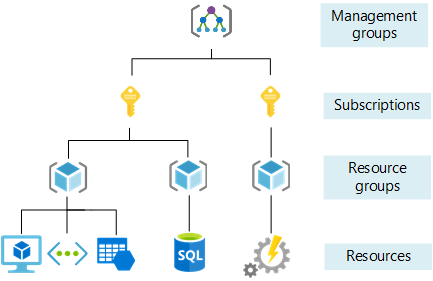
In Azure, the Owner role applies at different scopes. If I have Owner at the subscription level, I am Owner of all resource groups and resources under that subscription. If I have Owner at a resource group level, I am Owner of all resources in that group.
The image below shows Owner access at the subscription level. 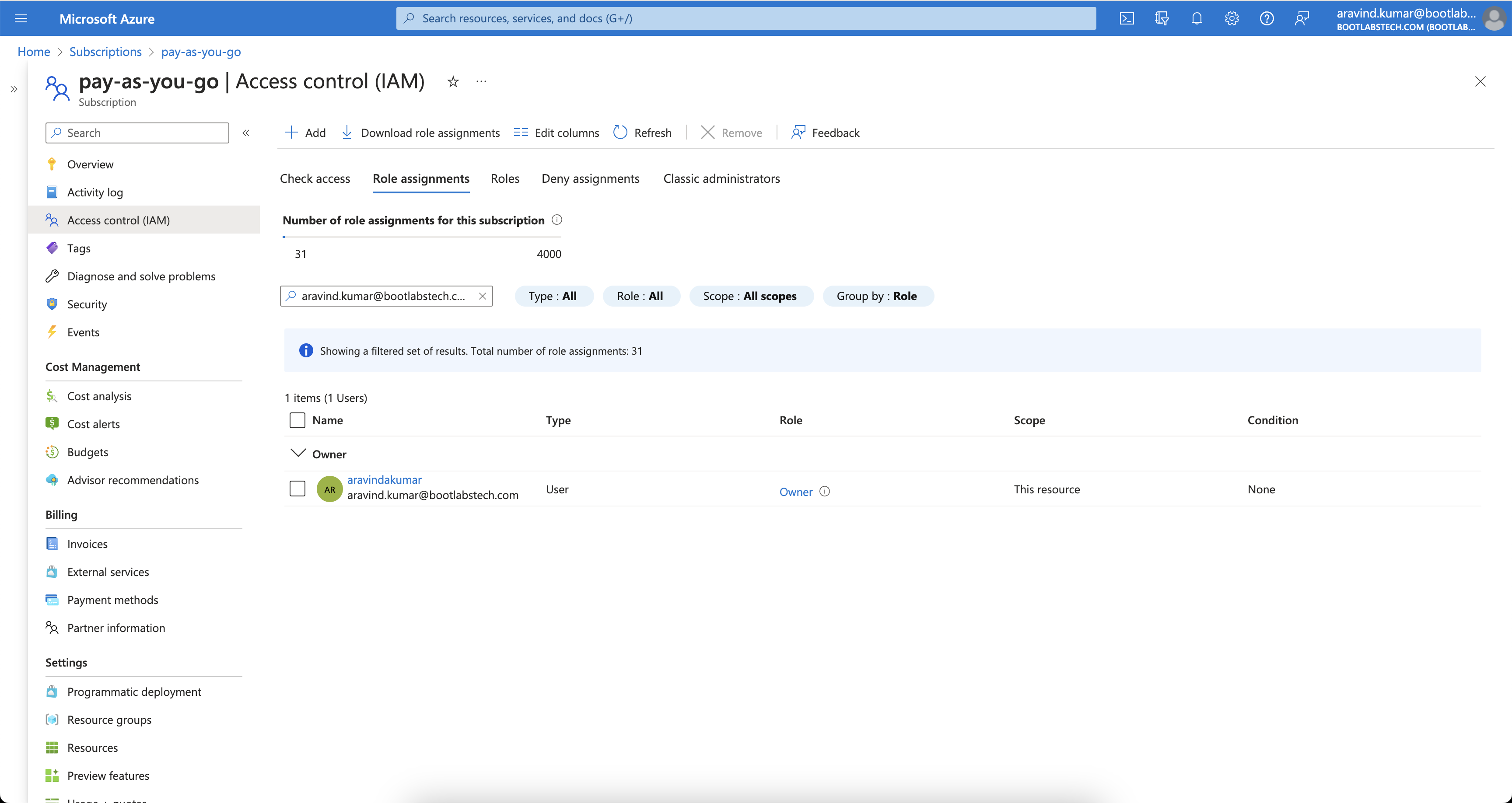
Checking IAM for a resource group under that subscription shows inherited Owner access. 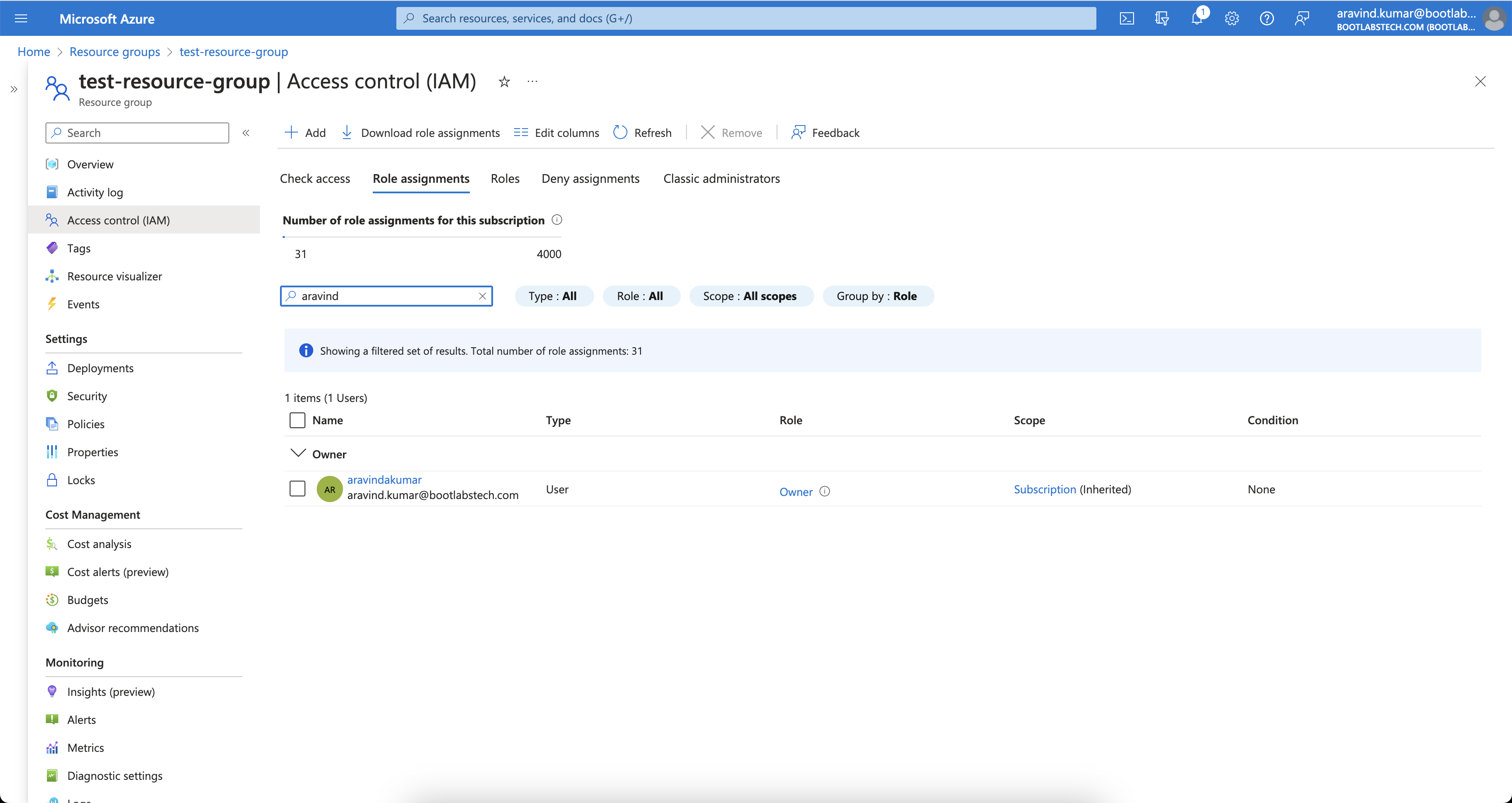
That is how Azure’s RBAC is hierarchical. Many systems use similar hierarchies. In this tutorial we implement a comparable model with Casbin.
How Casbin works
Understanding Casbin’s building blocks (request, policy, matcher, effect) makes it easier to design and tune your RBAC model.
What is ACL?
ACL (Access Control List) maps users to actions and actions to resources.
Model definition
A minimal ACL model:
[request_definition]
r = sub, act, obj

[policy_definition]
p = sub, act, obj

[policy_effect]
e = some(where (p.eft == allow))

[matchers]
m = r.sub == p.sub && r.obj == p.obj && r.act == p.act
- request_definition — Defines the request format. E.g.
alice, write, data1means “Can Alice write data1?” - policy_definition — Defines the policy format. E.g. a policy
alice, write, data1grants Alice permission to write data1. - policy_effect — How multiple matching policies are combined (e.g. allow-override).
- matchers — The condition that must hold:
r.sub == p.sub && r.obj == p.obj && r.act == p.act.
Try it in the Casbin editor
Open the Casbin editor and paste the model above into the Model editor.
Paste the following in the Policy editor:
p, alice, read, data1
p, bob, write, data2
and the following in the Request editor:
alice, read, data1
The result will be:
true
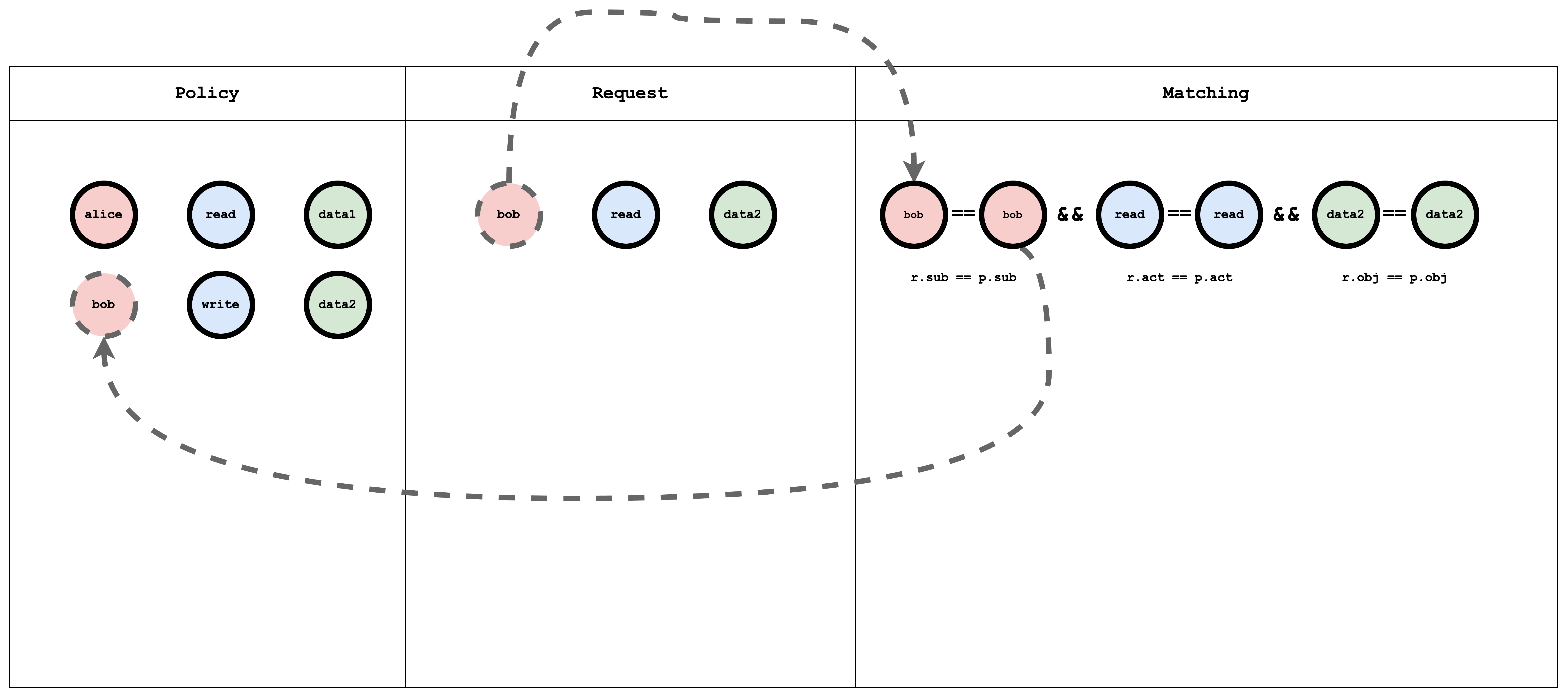
Visual representation of the ACL model, policy, and request matching
What is RBAC?
RBAC (Role-Based Access Control) assigns users to roles; roles have permissions on resources. A request checks whether the user’s role allows the action on the resource.
Model definition
A simple RBAC model:
[request_definition]
r = sub, act, obj

[policy_definition]
p = sub, act, obj

[role_definition]
g = _, _
g2 = _, _

[policy_effect]
e = some(where (p.eft == allow))

[matchers]
m = r.sub == p.sub && g(p.act, r.act) && r.obj == p.obj
- role_definition — Defines graph relations (e.g.
gfor role–role or user–role). The matcher uses these to resolve roles and permissions.
Try it in the Casbin editor
Open the editor and paste the model above.
Paste the following in the Policy editor:
p, alice, reader, data1
p, bob, owner, data2

g, reader, read
g, owner, read
g, owner, write
and the following in the Request editor:
alice, read, data1
alice, write, data1
bob, write, data2
bob, read, data2
bob, write, data1
The result will be:
true
false
true
true
false
Visual representation of the RBAC model, policy, and request matching
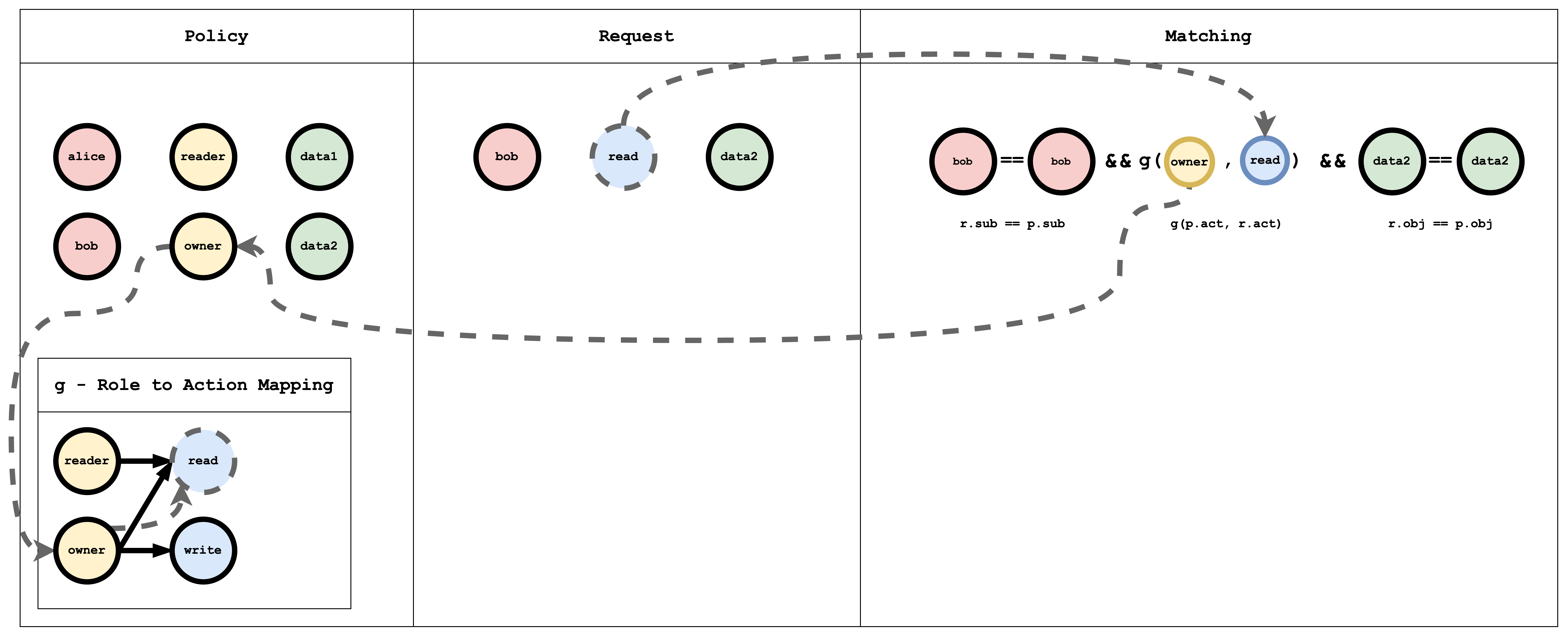
The g (role-to-action) relation is a graph. In policy it is written as edges, for example:
g, reader, read
g, owner, read
g, owner, write
p is a normal policy (compared with ==). g is a graph relation. You can add more with suffixes: g2, g3, etc.
Hierarchical RBAC
In hierarchical RBAC there are multiple resource types with inheritance (e.g. Subscription → ResourceGroup). A subscription sub1 can contain resource groups rg1, rg2. Similarly, there are subscription-level roles/actions and resource-group-level roles/actions, with inheritance between them. For example, the subscription role sub-owner might inherit to the resource-group role rg-owner: if I have sub-owner on sub1, I effectively have rg-owner on rg1 and rg2.
Model definition
A minimal hierarchical RBAC model:
[request_definition]
r = sub, act, obj

[policy_definition]
p = sub, act, obj

[role_definition]
g = _, _
g2 = _, _

[policy_effect]
e = some(where (p.eft == allow))

[matchers]
m = r.sub == p.sub && g(p.act, r.act) && g2(p.obj, r.obj)
Here g links roles/actions and g2 links resources (e.g. subscription to resource group).
Try it in the Casbin editor
Open the editor and paste the model above.
Paste the following in the Policy editor:
p, alice, sub-reader, sub1
p, bob, rg-owner, rg2

// subscription role to subscription action mapping
g, sub-reader, sub-read
g, sub-owner, sub-read
g, sub-owner, sub-write

// resourceGroup role to resourceGroup action mapping
g, rg-reader, rg-read
g, rg-owner, rg-read
g, rg-owner, rg-write

// subscription role to resourceGroup role mapping
g, sub-reader, rg-reader
g, sub-owner, rg-owner

// subscription resource to resourceGroup resource mapping
g2, sub1, rg1
g2, sub2, rg2
And paste the following in the Request editor:
alice, rg-read, rg1
The result will be:
true
Visual representation of the RBAC model, policy, and request matching
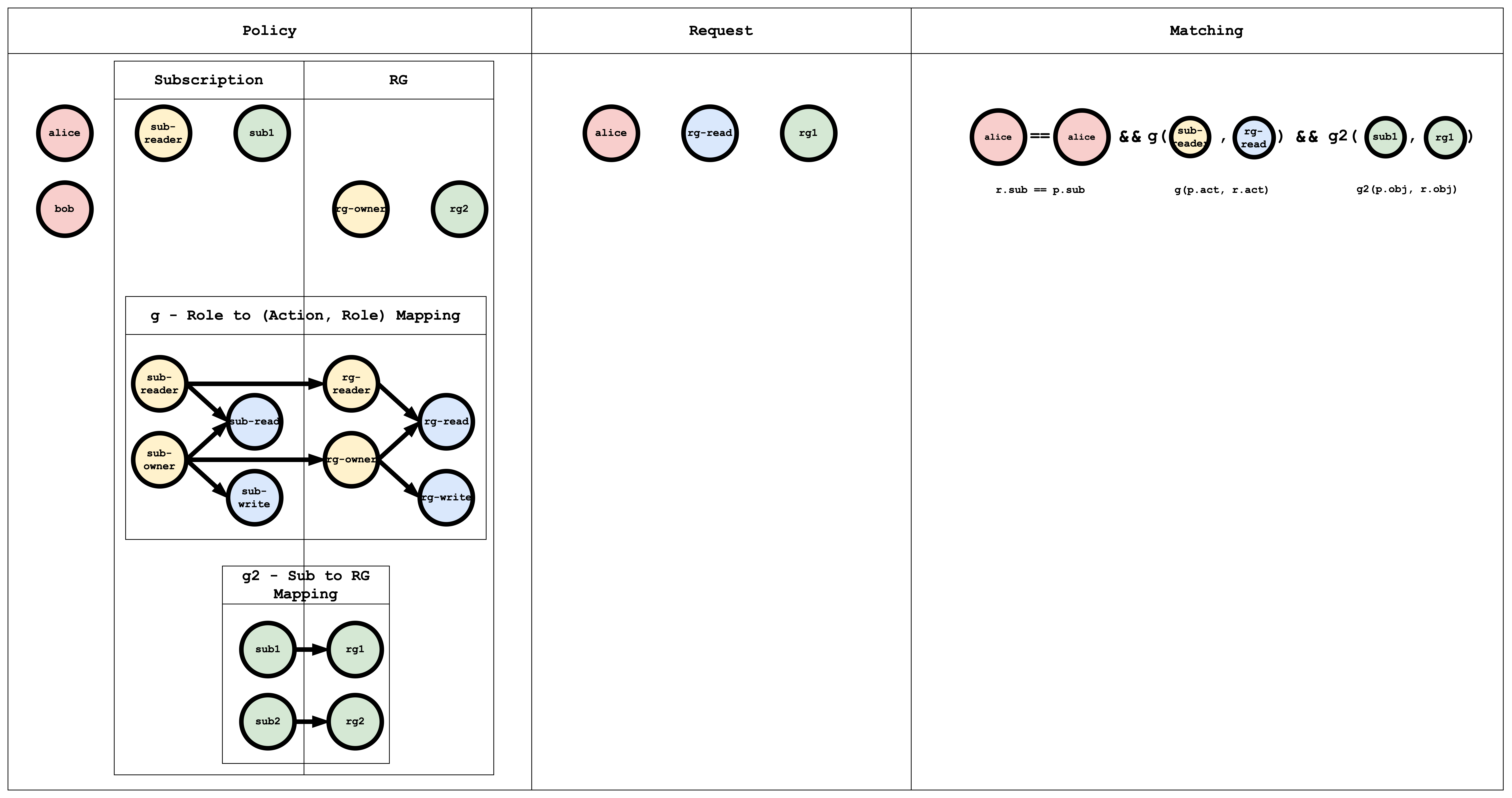
The g edges (role → action, role → role) can be written in policy as:
// subscription role to subscription action mapping
g, sub-reader, sub-read
g, sub-owner, sub-read
g, sub-owner, sub-write

// resourceGroup role to resourceGroup action mapping
g, rg-reader, rg-read
g, rg-owner, rg-read
g, rg-owner, rg-write

// subscription role to resourceGroup role mapping
g, sub-reader, rg-reader
g, sub-owner, rg-owner
The g2 edges map subscription to resource group:
// subscription resource to resourceGroup resource mapping
g2, sub1, rg1
g2, sub2, rg2
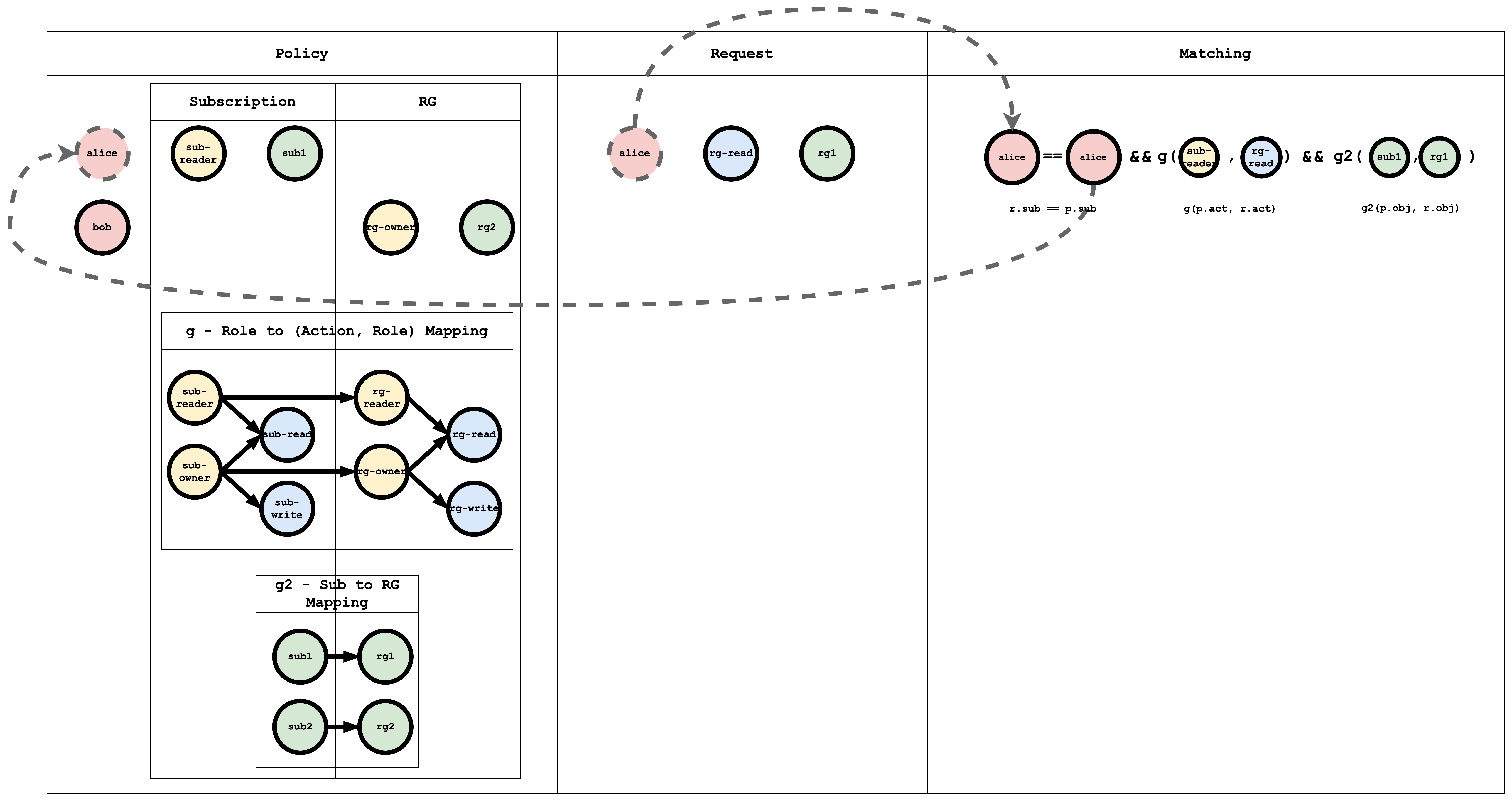
Subject Matching Visual representation
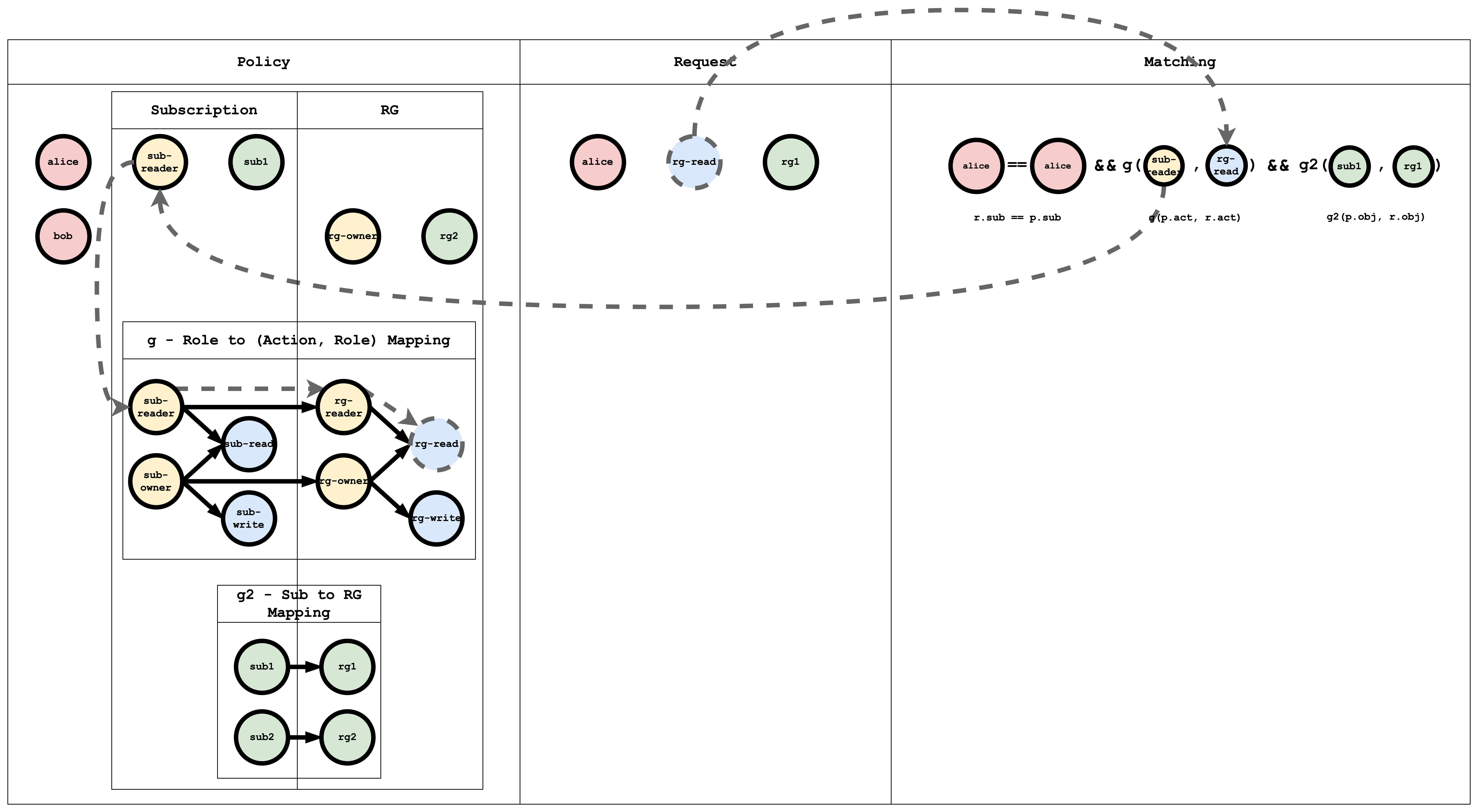
Action Matching Visual representation
Object Matching Visual representation
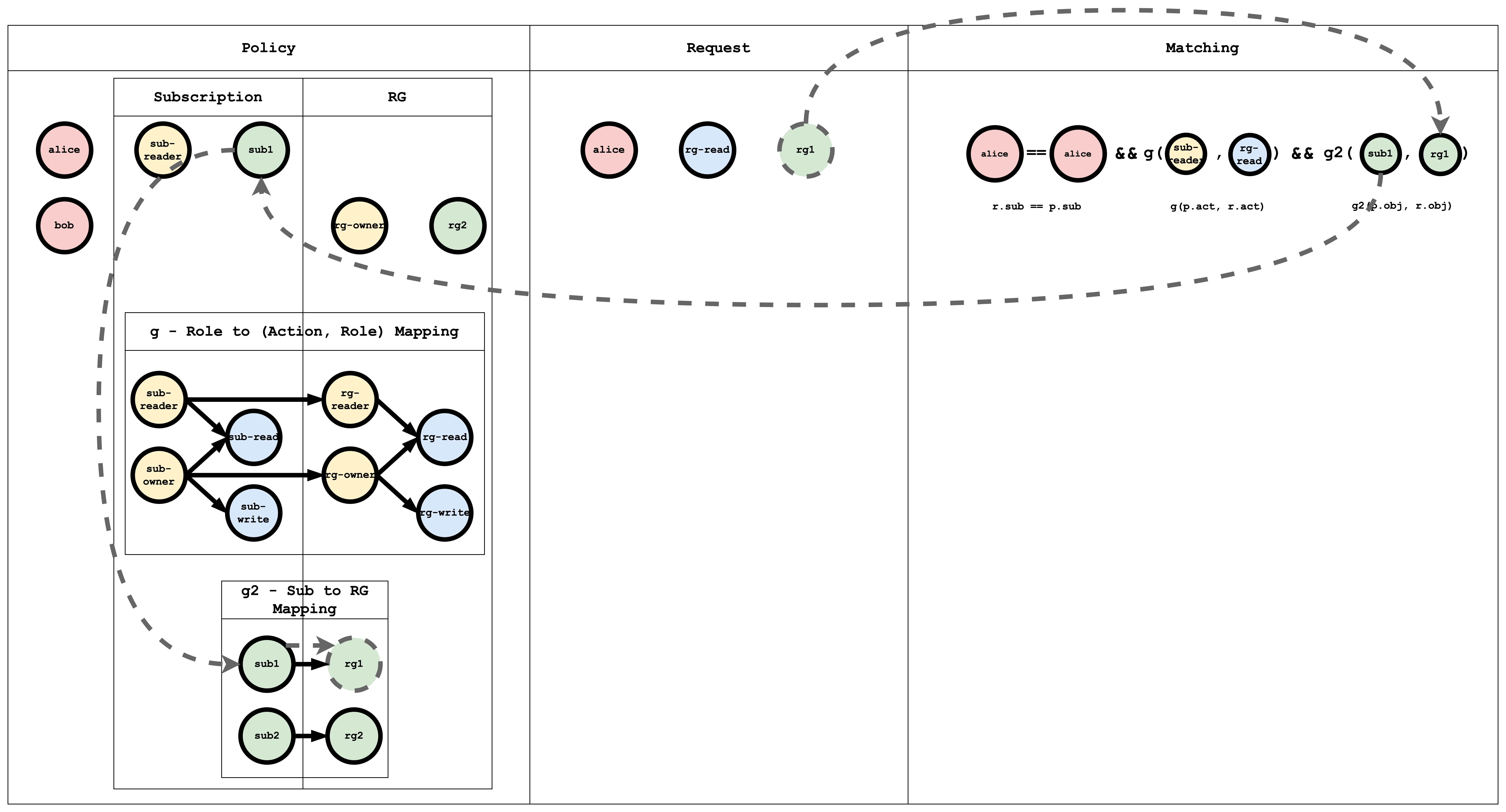
Casbin evaluates the request against all policies. If at least one policy matches, the result is true; otherwise false.
Conclusion
This tutorial showed how ACL, RBAC, and hierarchical RBAC can be expressed in Casbin. In a follow-up, we will implement this in a Spring Boot app and secure APIs with Casbin.